
Every fabric colour of your chair or sofa, from a single photo
Many furniture models are sold in eight, twelve or twenty fabric colours, but often only one or two are photographed. The web shop shows one colour, and the customer has to imagine the rest from a small swatch. Lofvy creates the missing variants from one product photo, so every colour you sell gets its own proper image.
Why one photo per colour is not realistic
Photographing every variant means ordering or upholstering a sample in each fabric, shipping it to a studio and paying for each set-up. For a collection with many models, the cost adds up to more than the fabrics themselves, so many variants end up without a picture. That is exactly where customers hesitate.
What changes in each variant
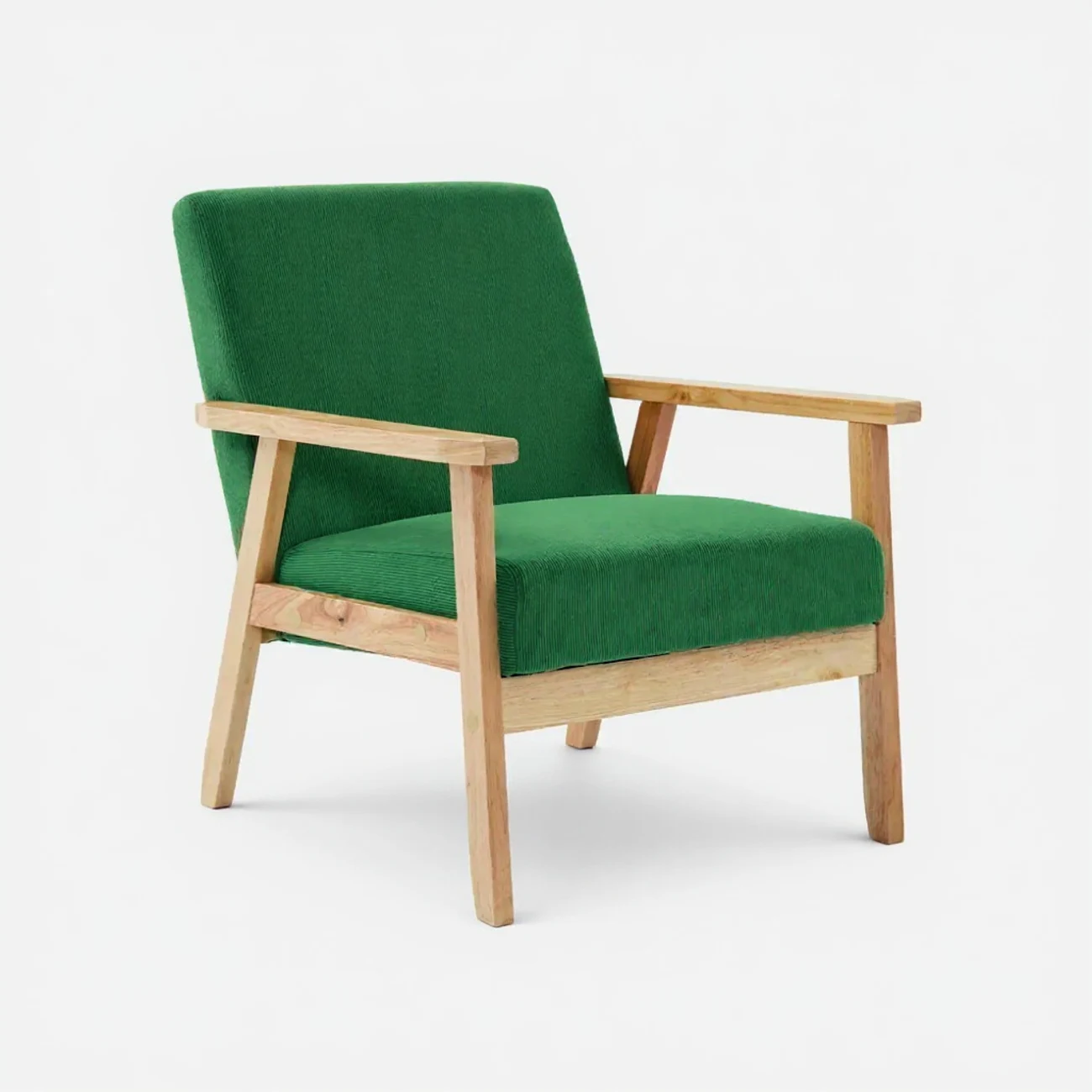
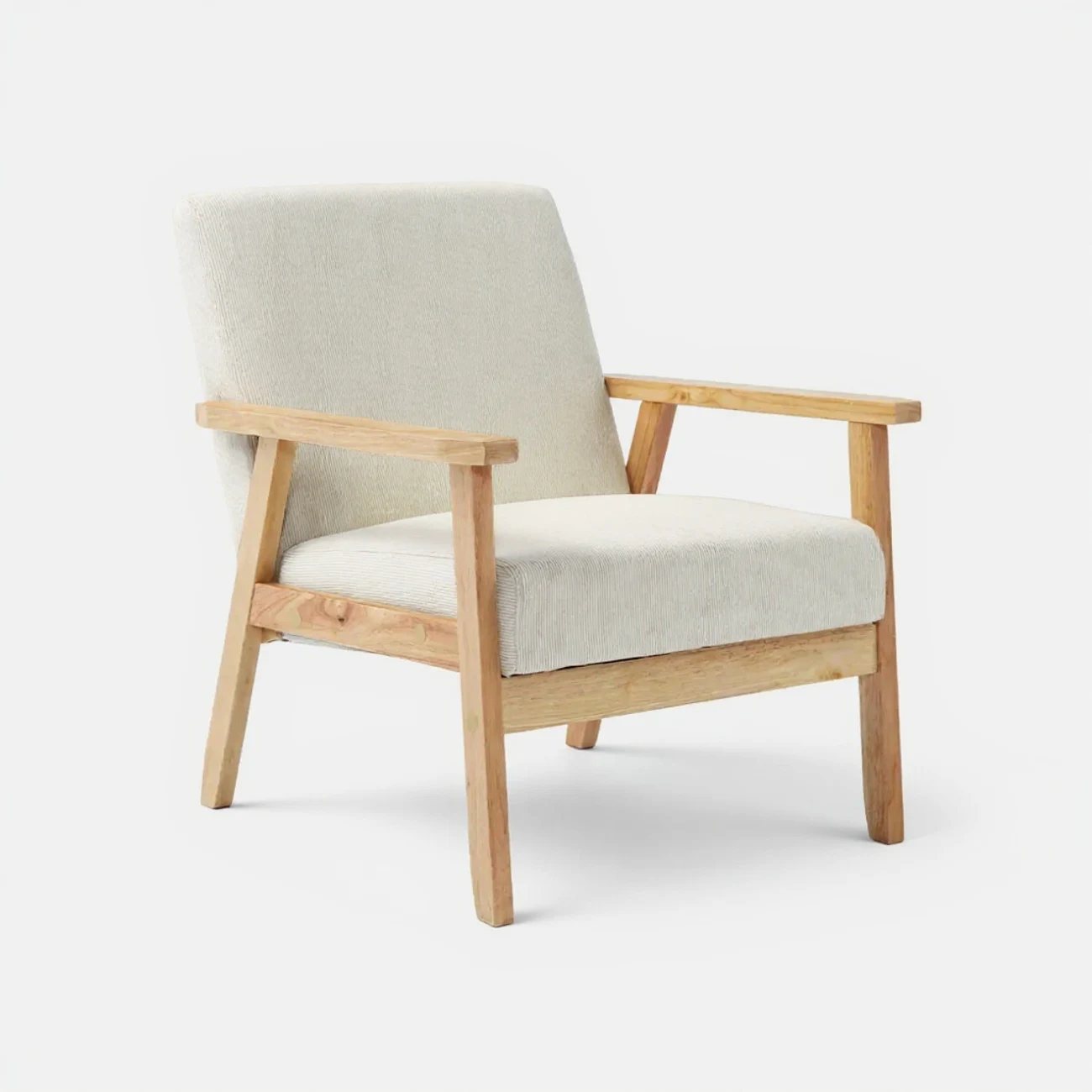
The upholstery is what changes. The frame, the seams, the proportions and the cushions follow your original photo, so the variants look like part of one series. The green and cream armchairs on this page both come from one photo of the same chair in mustard.
- Changes: fabric colour of the upholstery
- Stays: wood, stitching, shape, proportions and shadow
- Same framing, so variants line up on a product page
Colour variants for your web shop and catalogue
On a product page, a colour picker that switches to a real image of the chosen fabric removes the guesswork. In a catalogue, a row of the same model in four colours shows the range at a glance. The variants can also be placed in a room, so you can show the green version in a living room and the cream one in a bedroom (each a new production of 10 credits).
Tips for the best variants
Start from a sharp photo on a plain background with even light, so the texture of the fabric is visible. Plain fabrics such as corduroy, velvet, linen or bouclé give the most convincing results. Compare each variant with your real fabric sample before publishing, since colours on screens always differ a little. Keep the same camera angle for every model in a range, so all variants line up neatly on your product pages.
How it works
Upload one product photo
Use the colour you already photographed, on a plain background.
Choose the new colours
Pick the fabric colours you sell for that model.
Publish every variant
Put each colour on the product page, in the catalogue or in a room scene.
Frequently asked questions
Does the frame or the wood change colour too?
No. Only the upholstery changes; the frame, stitching, proportions and shadow stay as in your original photo.
Which fabrics work best?
Plain fabrics with a visible texture, such as corduroy, velvet, linen or bouclé. This feature changes the colour of plain upholstery; it does not reproduce patterns.
Are the colours exact?
They follow the colour you choose, but screens and fabrics always differ slightly. Check each variant against your real sample before publishing.
Does each variant cost credits?
Yes, each variant is a new image and costs 10 credits, like any other photo.