
Short product videos of your furniture, made from the photos you have
Video is what stops the scroll, but filming furniture takes a crew, a set and a lot of moving heavy pieces around. Lofvy makes product videos from your product photos instead: it stages the key frames first, then animates them with camera moves, so the camera can circle a chair, a light can sweep across the fabric and the view can glide over the details.
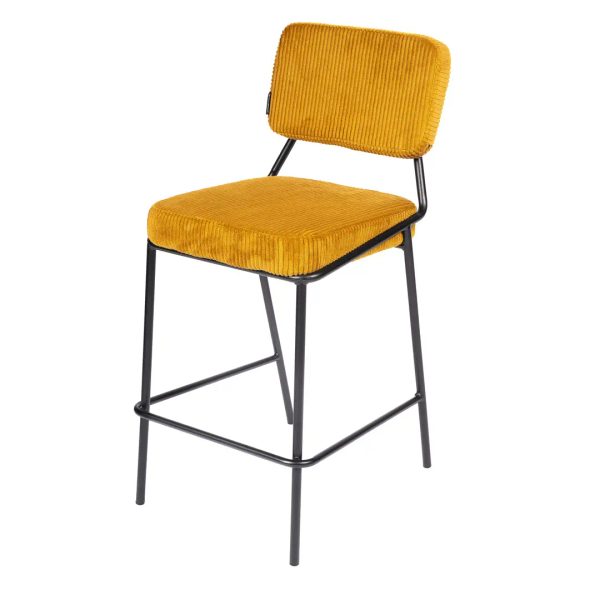
From four photos to a moving product
Start with the photos of the piece: the front, the side, the back and a detail. Lofvy uses them to understand the shape and the materials, then creates the frames of the video in the setting you choose. Those frames are animated into one clip, with your photos as the reference throughout.
The video on this page was made exactly this way, from four product photos of this bar stool; the front view is one of the images shown here.
Camera moves that show furniture well
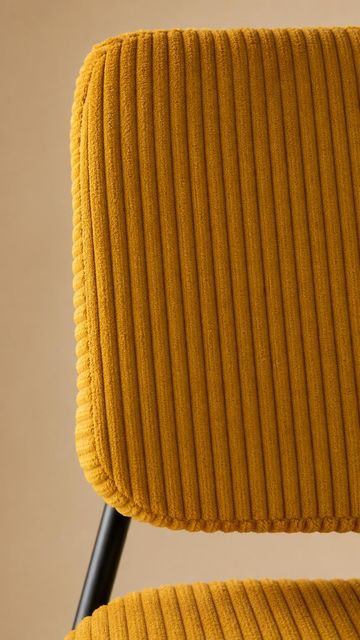
Furniture is sold on shape, texture and finish, so the moves are chosen to show exactly that. An orbit circles the piece, a top-down shot shows the seat and the proportions, and a light sweep brings out the grain of the wood or the ribs of a corduroy fabric.
- Orbit around the piece
- Top-down view of seat and proportions
- Light sweep over wood and fabric
- Studio backdrop or a furnished room
Length and cost you control
Videos are 15, 25 or 30 seconds long. Choose the length that fits where the video will run: a short clip for a story, a longer one for your product page. You pay one credit per second of video, with the frames included, so a 15-second clip costs 15 credits and a 30-second clip 30 credits. There is no separate charge for the frames that make up the video.
Where product videos work
Short furniture videos fit reels and stories, paid social ads, the top of a product page and the screens in a showroom. You can cut one clip into several posts with your usual editing app, and it pairs well with lifestyle images of the same piece in a room.
How it works
Upload the photos
Front, side, back and a detail of the piece give the best video.
Choose setting and moves
Pick a backdrop or a room, the camera moves and the length.
Download the video
Use the clip in a reel, an ad or on your product page.
Frequently asked questions
Do I need to film anything?
No. The video is made from your product photos. A clear photo of each side of the piece is enough.
How long can a video be?
15, 25 or 30 seconds. You pay one credit per second, frames included.
Will the product stay the same during the video?
Lofvy keeps your photos as the reference for every frame, so the shape and materials stay consistent. Always watch the clip before you publish it.
Can I use the same piece for photos and videos?
Yes. The same product photos can produce still images and videos, so your campaign looks consistent across posts and ads.